AI-translated. Read the original in KoreanEmbedded slides, videos and images remain in their original language.
Multi-Module Android SDKs
Introduction
When an app is modularized, it can reference each module as a local library. You can then version only the app and distribute the APK without managing separate module versions. An SDK is different: every module needs an explicit version and must be published. This document briefly explains the difference between multi-module apps and SDKs, and why multi-module SDKs need individual module versioning.
Multi-Module Apps
Structure
A multi-module app has the following structure.
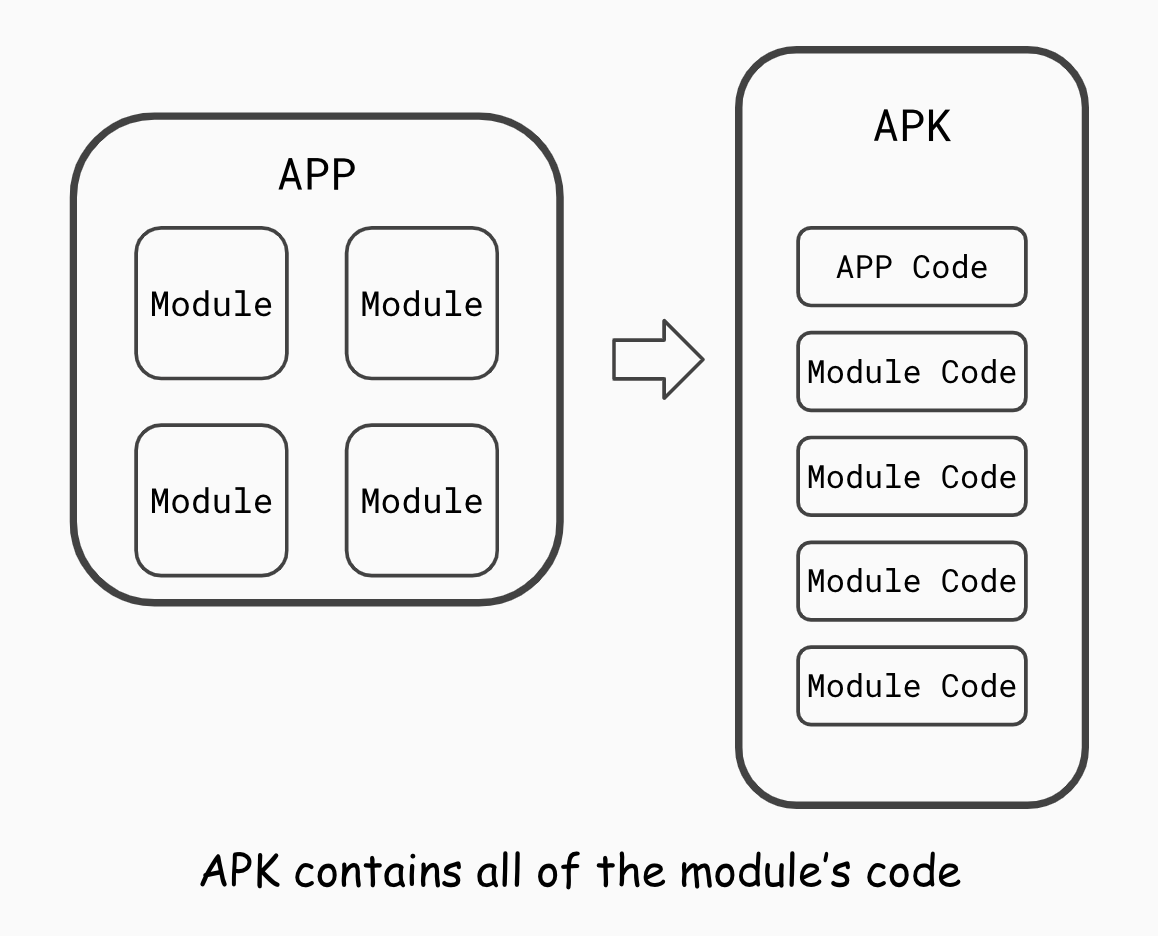
The resulting APK contains all the code the app needs. Modules do not need to be published separately because all their data is included in the APK.
Referenced Modules and Versions
Because all required information is merged into the APK at build time, a multi-module app can avoid module conflicts by versioning only the app itself.
Multi-Module SDKs
Structure
A multi-module SDK has the following structure.
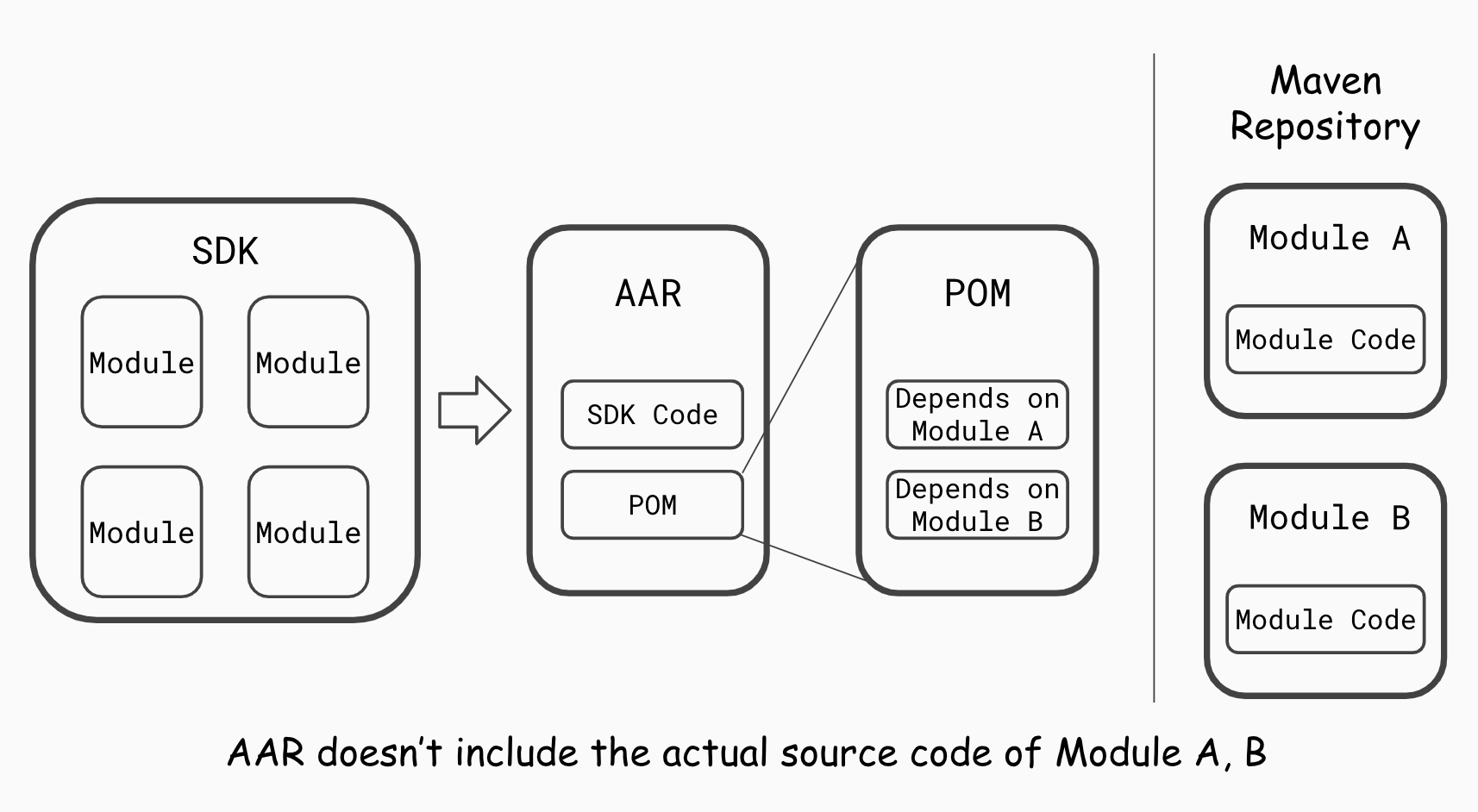
The resulting AAR contains only the SDK’s own code, not the code of its referenced modules. Instead, it includes a POM file that specifies each referenced module’s name, version, and other information.
When an app is subsequently built with that AAR, Gradle’s dependency resolution rules determine which module versions are ultimately used.
A multi-module SDK therefore requires every referenced module to be published at the appropriate version, so those modules can be found when the app is built.
Referenced Modules and Versions
Gradle multi-project builds generally reference modules in two ways. (Reference)
Remote Binary Dependencies
implementation 'com.buzzvil:my-module:1.2.3'
// 저장소에서 com.buzzvil 그룹의 my-module 모듈 중 1.2.3 버전에 해당하는 바이너리를 찾아서 연동
A remote binary dependency retrieves the module’s binary from the configured repository. Its group, name, and version are specified explicitly, making the referenced module clear from the build script. The module must already be published to the repository for the build to succeed.
Local Library Module Dependencies
implementation project(':my-module')
// 프로젝트에서 my-module 모듈을 찾아서 연동
A local library dependency resolves the referenced module from the project’s local library modules, without specifying its detailed coordinates.
How, then, are the module’s name and version recorded when the SDK is built?
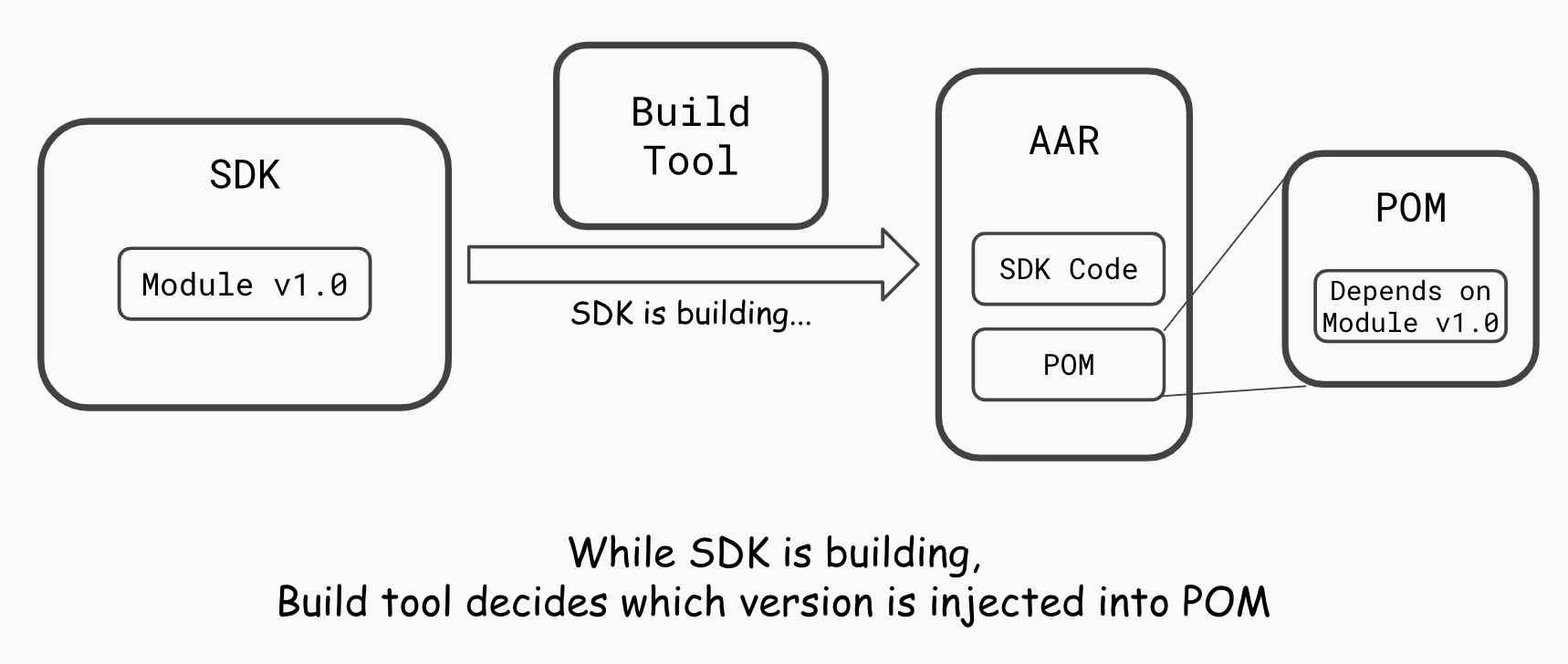
When building an SDK that references local library modules, the build tool extracts information directly from each module project at build time and generates the POM. No separate version is referenced during normal development: the AAR is generated using the version configured in each module project at the time the SDK is built.
Development Considerations
Keep the following points in mind when publishing a multi-module SDK.
First, Publish All Referenced Modules Together
The SDK’s AAR does not contain the code of its referenced modules. All referenced modules must therefore be published when releasing the SDK.
Second, Give Each Module Version a Unique Identity at Release Time
The modules referenced in the POM are determined when the release AAR is built. Usually, the SDK is built and version information is resolved when uploading to Bintray. All referenced module versions must therefore be accurate at that point. Suppose a module was published as 1.0.0, its code was later changed, but its version is still set to 1.0.0. The AAR will record that module as 1.0.0, and SDK users will receive a version different from the one intended.
For module version management, see the Monorepo Development Guide.
Third, Be Aware of Module Conflicts Between SDKs
If several SDKs reference the same module and are built into one app, you need to consider module conflicts.
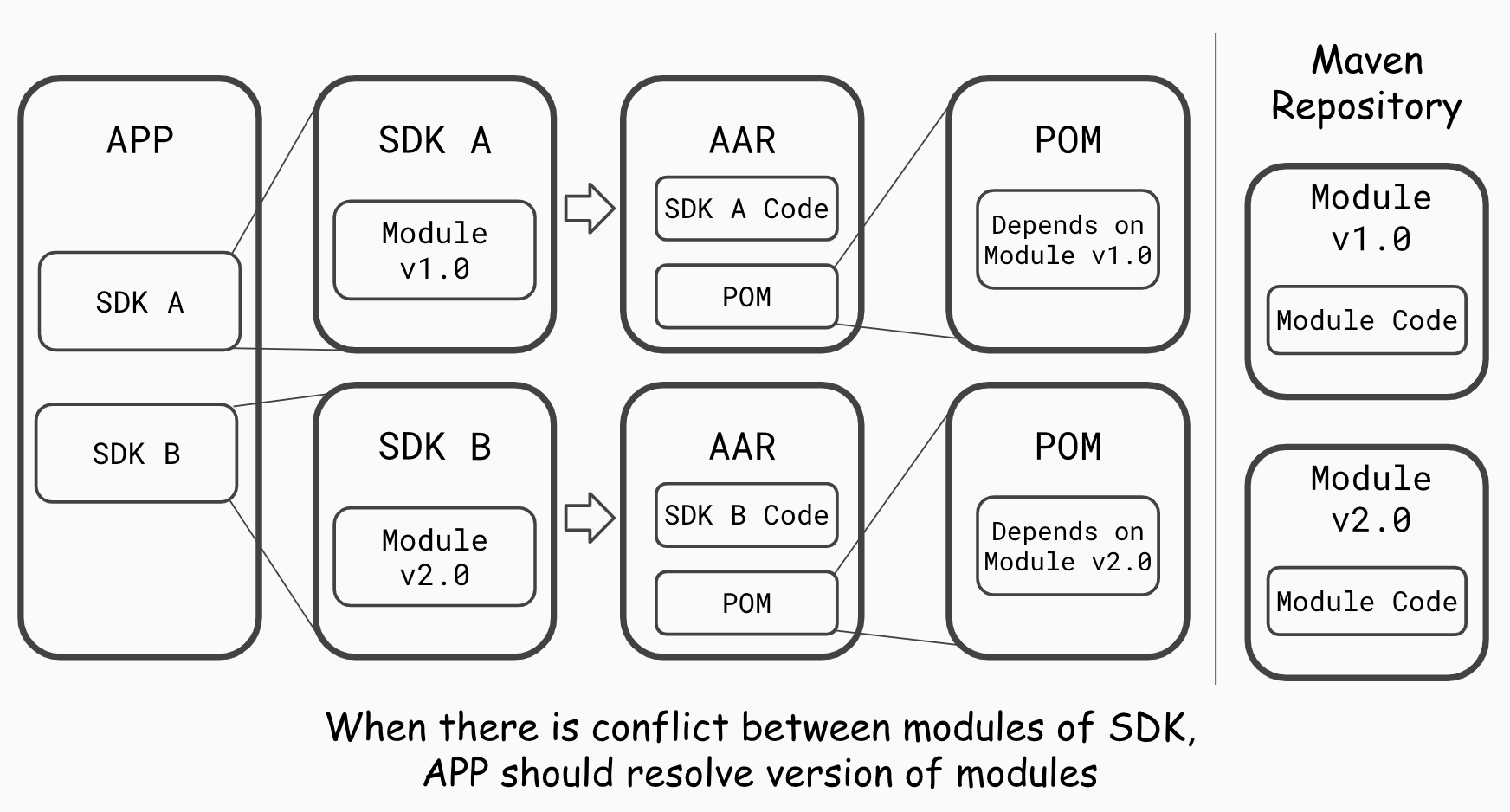
If the SDKs reference different versions of the same module, the version ultimately used is determined when the app is built. One SDK may then use a different version than expected, potentially causing a conflict.
To handle this well, developers need to keep backward compatibility in mind when developing modules. Integrators should use Gradle’s version resolution rules to control which versions are used.
Related guides
All guidesHandbook
Android Modules
This document describes considerations when building Android modules. These are recommendations; individual projects and modules may use different structures. Guidelines - Write ne…
Handbook
Android Testing
This document provides Android testing methods and guidelines, including recommended libraries and how to use them. These are recommendations only; projects are free to adopt or pr…