AI-translated. Read the original in KoreanEmbedded slides, videos and images remain in their original language.
Deploying Elegantly: One-Click Deployment

Software Engineer
Deployment systems usually become more complex as the number of runtime environments grows. This post explains how Buzzvil addressed that problem.
- Deploying Elegantly: One-Click Deployment
- Deploying Safely: Canary Releases and Rollbacks
- Deploying Faster: DIY (Deploy It Yourself)
Deploying elegantly: one-click deployment
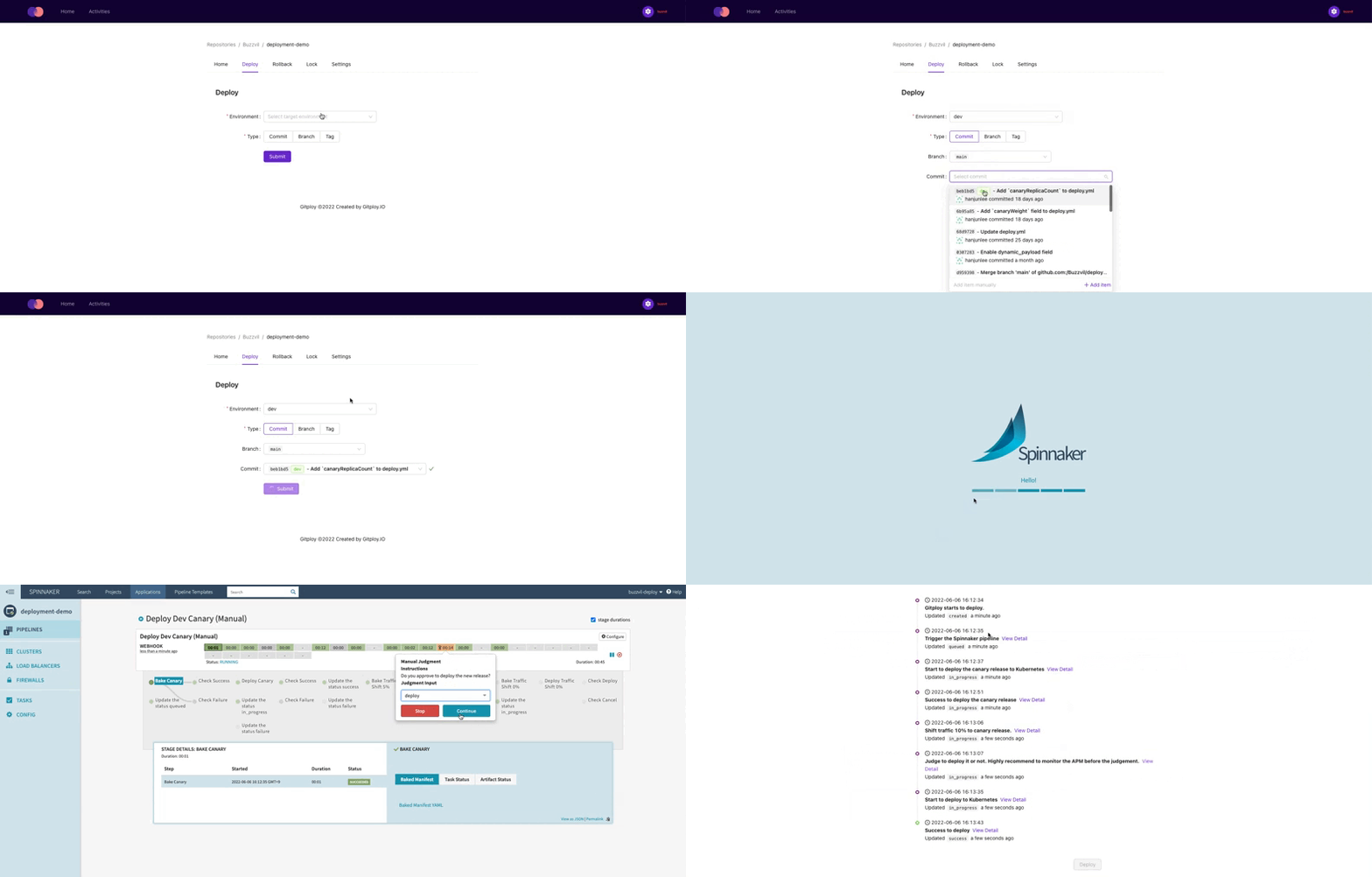
At Buzzvil, engineers deploy services with just a few clicks in a UI, using the same process regardless of the application’s runtime environment. A runtime environment is where a program executes. We use Kubernetes on AWS EKS, AWS Lambda, and AWS S3, with different deployment tools for each. Despite those differences, the deployment experience stays the same.
Different runtimes typically call for different deployment tools. Buzzvil uses Spinnaker for Kubernetes and Drone CI for AWS S3. Each tool has its own workflow, requiring engineers to learn how to use it and understand the details of its pipeline. In other words, more runtime environments mean a more complex deployment system.
One simple answer would be to operate a single deployment tool. But one tool is unlikely to meet every runtime’s requirements.
Buzzvil solved this by abstracting deployment pipelines behind GitHub’s Deployments API. Engineers trigger deployments and check their status through the GitHub API, without interacting directly with deployment tools. That gives them a consistent workflow. Let’s look at the API and how we use it.
GitHub’s Deployments API
Buzzvil manages source code on GitHub and uses its Deployments API. The API requests a deployment for a particular ref—a branch, commit, or tag. GitHub then sends a deployment event to the relevant tool.
GitHub also provides a deployment status API, allowing external tools to update deployment progress. A status parameter represents the deployment state, while optional description and log_url parameters provide more detail.
The diagram below shows how our tools interact with GitHub. Engineers communicate with GitHub only through the Trigger. GitHub then coordinates deployment through a 3rd Party tool such as Spinnaker or Drone CI.
+---------+             +--------+            +-----------+        +-------------+
| Trigger |             | GitHub |            | 3rd Party |        |   Server    |
+---------+             +--------+            +-----------+        +-------------+
     |                      |                       |                     |
     |  Create Deployment   |                       |                     |
     |--------------------->|                       |                     |
     |                      |                       |                     |
     |  Deployment Created  |                       |                     |
     |<---------------------|                       |                     |
     |                      |                       |                     |
     |                      |   Deployment Event    |                     |
     |                      |---------------------->|                     |
     |                      |                       |       Deploys       |
     |                      |                       |-------------------->|
     |                      |                       |                     |
     |                      |   Deployment Status   |                     |
     |                      |<----------------------|                     |
     |                      |                       |                     |
     |                      |                       |   Deploy Completed  |
     |                      |                       |<--------------------|
     |                      |                       |                     |
     |                      |   Deployment Status   |                     |
     |                      |<----------------------|                     |
     |                      |                       |                     |
The Deployments API offers several parameters for safe, flexible deployments. Here are the main ones and how Buzzvil uses them.
ref can be a branch name, tag, or commit SHA. We use branches or commit SHAs for continuously deployed applications and tags for applications using semantic versioning.
environment specifies the deployment target. We offer environments such as dev, staging, and prod for different purposes. Engineers deploy a working branch to a chosen environment to validate their application. We also collect deployment history by environment to track changes.
auto_merge checks whether the chosen ref is ahead of the repository’s default branch. If it is behind, GitHub automatically merges the default branch into it. Buzzvil uses this to ensure production deployments include the main branch.
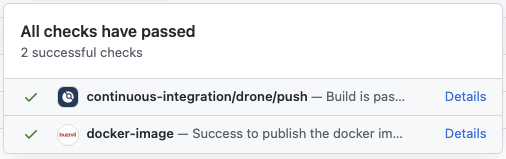
required_contexts identifies commit status contexts that must be success. For example, you can require only one of the two contexts shown below. For Kubernetes deployments, we use it to verify that a Docker image exists for the commit: required_contexts: ['docker-image'].
payload passes additional information to the deployment tool. We use it to let engineers choose a deployment strategy at deployment time. We currently offer rolling updates and canary releases, selected through a dropdown.
An event-driven deployment system
We built around GitHub’s Deployments API to keep deployment tools loosely coupled. Deployment systems often become tightly bound to a particular tool. That dependency can make it difficult to replace the tool even when requirements change. We used GitHub’s API to abstract how each tool is operated. Engineers interact with the API instead of individual tools, so their deployment process remains consistent.
Combining existing tools let us build the system quickly without custom development. For the Trigger in the diagram—the interface to GitHub’s API—we chose Gitploy. Its intuitive UI kept the learning curve low. For the 3rd Party deployment tools, we chose Spinnaker for Kubernetes and Drone CI for AWS S3 and Lambda.
Engineers can also use essential deployment features—rollback, locking, and review—in the same way across environments. They no longer need to spend time learning each tool’s individual workflow.
Closing thoughts
I think of GitHub’s Deployments API as something like an interface in code. Just as interfaces reduce complexity and improve extensibility, the API gave us those benefits in our deployment system, making it much more flexible. If you’re designing an extensible deployment system, I hope this post is useful.
This post couldn’t cover the implementation itself. In the next installment, “Deploying Safely,” I’ll share how we implemented it and what we learned. Thanks for reading, and stay tuned!