AI-translated. Read the original in KoreanEmbedded slides, videos and images remain in their original language.
Building a Mini-Game
Is Buzzvil a game company? A title like “Building a Mini-Game” might give that impression. To avoid confusion: Buzzvil is an ad tech company aiming to become the number-one lockscreen ad network. Most posts on this blog concern ad tech. If that’s what you expected here, this topic may seem surprising, but I wanted to show that Buzzvil occasionally makes room for small departures from our usual work.
1. One unexpected day
I once spent time thinking about why I became a developer. An interest in computers led me here, and that interest began with the games I enjoyed as a child. So, in a sense, games are why I’m a developer. Judging by how many developers enjoy games, I doubt I’m alone. That interest left me with a vague ambition to make a game someday.
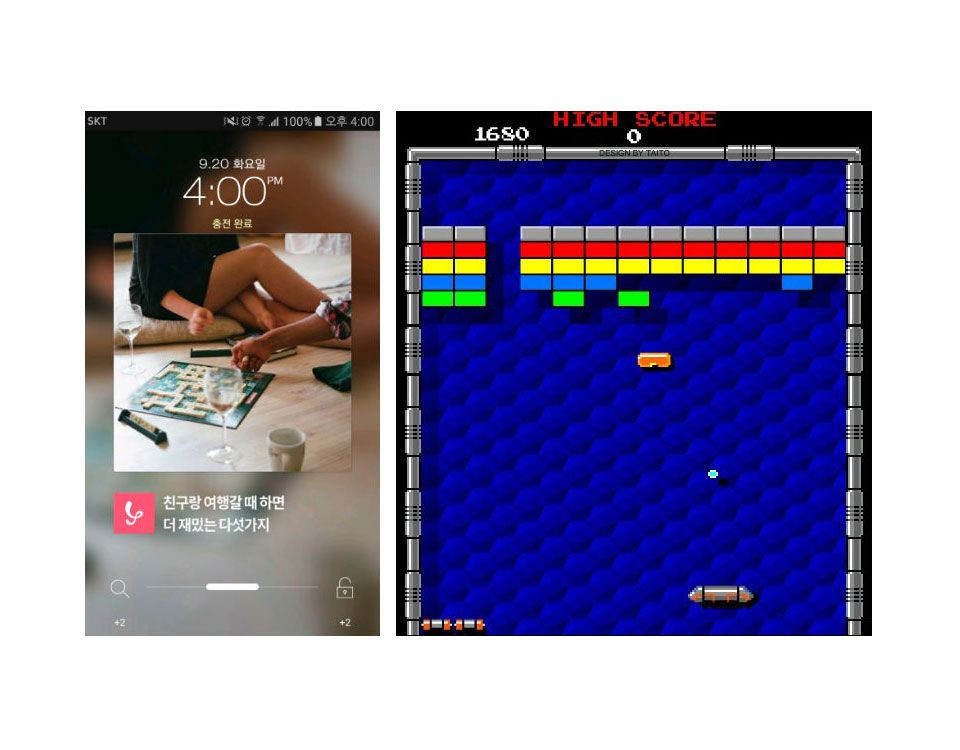
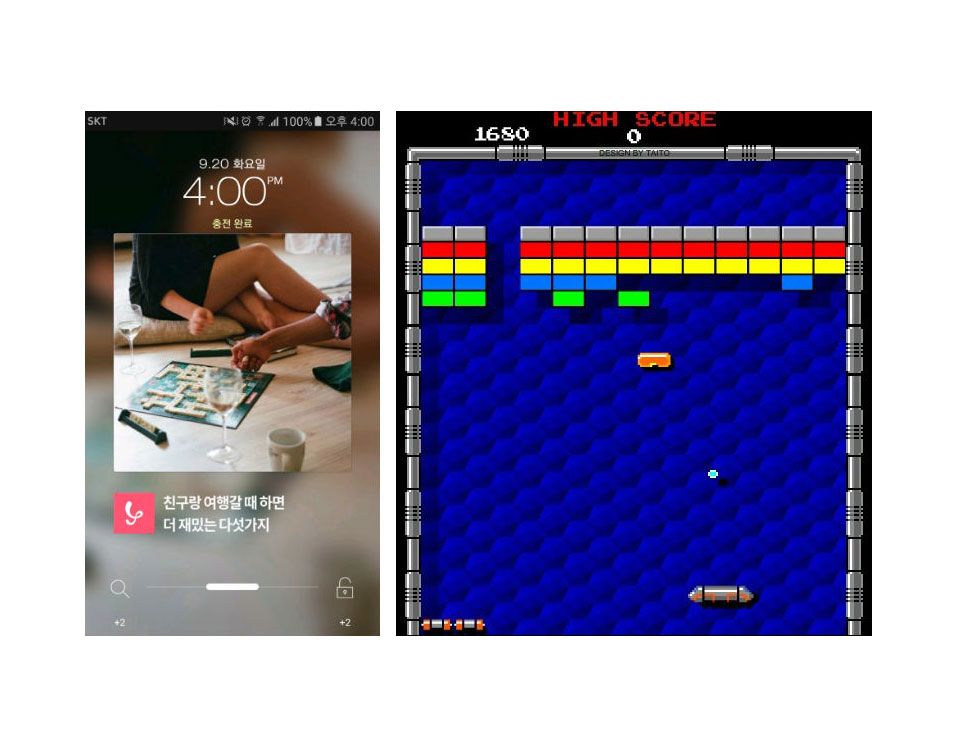
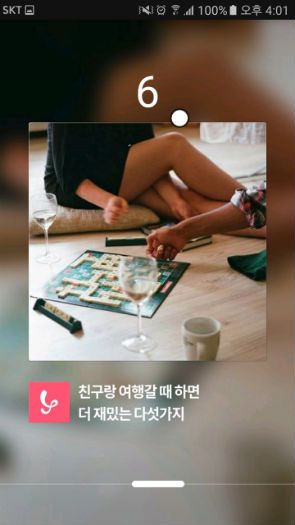
Then we redesigned the UI of HoneyScreen, Buzzvil’s Android app. Once implemented, it looked oddly familiar. Another engineer pointed out that the slider at the bottom resembled the paddle in Arkanoid, the brick-breaking game. That one comment made me think, “Why not try?” and I started building a mini-game.
2. What should we build?
This was something of a side project, so I couldn’t spend much time on it or draw on other company resources. Recreating Arkanoid’s bricks and stages would be too much. Instead, I decided to make the simplest possible mini-game that fit our UI. Since this was my first attempt at anything game-like, I kept the requirements very basic.
Requirements
- Let the player move the bottom paddle left and right by touch.
- Start the ball at a random position on screen.
- Award points whenever it hits the paddle or a wall.
- Increase difficulty by speeding up the ball as play continues.
- Display the final score when the game ends.
- Record scores on the server and show rankings.
3. Client development
A game engine might seem like the natural starting point, but our app wasn’t a game. Adding a potentially heavy engine for a feature unrelated to its core purpose didn’t make sense. At its simplest, a game takes user input and updates graphics as the user expects. Our mini-game only needed touch input to move a paddle and a ball. With that simple model, I began implementing the client.
Moving the ball
The ball travels in one direction until it hits a wall or the paddle, then changes direction. That’s essentially it. We need collision detection and position updates. Since the ball is a circle, it can be represented by its center and radius. A collision with a wall occurs when the center’s distance from the wall equals the radius. Motion is simply movement of the center, expressed between frames as:
X' = X + Dx
Y' = Y + Dy
((X, Y) : 현재 위치, (X', Y') : 다음 위치, (Dx, Dy) : 한 프레임에서의 위치 변화)
Here, (X, Y) is the current position, (X′, Y′) the next position, and (Dx, Dy) the change per frame.
Dx and Dy remain constant until a collision changes them. A wall collision changes only the velocity component perpendicular to the wall. Assuming a perfectly elastic collision, we only reverse that component’s sign: Dx for left and right walls, Dy for top and bottom walls. The right-wall collision logic is:
if (rightPositionOfWall <= centerXOfBall + radius) {
    Dx *= -1
}
centerXOfBall += Dx
Moving the paddle with touch events
Android touch events are received through an Activity, which corresponds to a screen in the app. We can capture them there. Record the X coordinate when the finger first touches the screen, then use its horizontal movement to calculate the paddle’s new position.
Collisions with the paddle
At this point, the basic motion worked: a finger moved the paddle, and the ball bounced off the walls and paddle as intended. But its movement was too predictable. I played Arkanoid again and noticed that the paddle affected the ball differently from walls. Walls followed ordinary reflection rules, while the paddle changed the trajectory according to the point of impact.
After a few games, I saw that hitting the right side of the paddle sent the ball right, regardless of its incoming direction. Hitting the left side sent it left. The closer the impact was to an edge, the larger the horizontal component. I revised the collision behavior accordingly:
if collision_with_bottom_slider:
    Dx = (centerXOfBall - centerXOfSlider) / lengthOfSlider * D
    Dy = -sqrt(D*D - Dx*Dx)
The Y axis increases downward, so Dy is negative to send the ball upward after a paddle collision. D = sqrt(Dx² + Dy²).
Next, I increased difficulty by raising D whenever the ball hit the paddle. Each collision with a wall or the paddle added one point. If we assume play becomes impossible beyond a certain speed, a high score requires gaining as many points as possible with as few paddle collisions as possible. To do that, players should hit near the paddle’s edge, maximizing wall bounces before the next paddle collision.
Drawing game objects
Android normally draws views on the UI thread, which also processes most input, including touch events. Drawing many game objects as ordinary views can delay touch handling, slow the game, or even cause an ANR—Application Not Responding—error. This makes the usual view-drawing approach unsuitable for smooth animation of moving objects such as the ball and paddle.
Android’s SurfaceView solves this by allowing drawing on a thread other than the UI thread. We continuously forward touch events to it and use it to render the paddle and the ball’s resulting movement.
4. Server development
Originally, I planned to stop after the client implementation. Later, HoneyScreen’s UI changed, and I considered removing the mini-game because its connection to the interface had disappeared. But usage showed tens of thousands of plays daily, and the game ranked among HoneyScreen’s top related searches on Naver. Removing it seemed likely to upset many users, so we kept it and decided to add a server-side leaderboard for a special event.
The leaderboard would show the top 30 scores and each player’s own rank. We considered a database, log analysis, and other approaches. A database would be straightforward but face increasing load as data grew; log analysis would be less real-time. There were ways around these issues, but we had to keep resource requirements low. Fortunately, Redis, which we already used, offered a simple ranking mechanism.
Redis is an in-memory database supporting various data structures and commands. Record scores with ZADD, then use ZRANGE to retrieve the desired ranking range. One detail matters: if a user already has a score, ZADD updates it and recalculates the ranking. Calling it for every result would therefore rank users by their latest scores.
We wanted each user’s personal best instead. We first fetched the existing score with ZSCORE and called ZADD only if the new score was higher. Record scores with ZADD, retrieve rankings with ZRANGE, and the leaderboard is ready. Redis made it simple.
5. Results
The discussion above covers the main logic, but the actual implementation also included safeguards against abuse and many exceptional cases, so it took more work than you might expect. After building the leaderboard, we ran a three-day ranking event. Across Korea, Taiwan, and Japan, users recorded 600,000 scores, with a high score of 327.
There are still rough edges before I’d call it a polished game, and plenty of optimization remains, but the event ended without any major incidents. What began as an Easter egg became a feature used in an event, so perhaps it no longer qualifies as an Easter egg. What should the next one be?