AI-translated. Read the original in KoreanEmbedded slides, videos and images remain in their original language.
Video Optimization Was Never Just About the Video

Frontend Engineer

In Hourly Golden Egg (PlayHub v2.1), the goose was UI that showed users their current state and what to do next. But in the WebViews of several apps, the video sometimes appeared late or would not play inline. This is the story of how still images, sprite sheets, resolution selection, and encoding work gradually expanded the target of optimization to the entire user experience.
Introduction
Buzzvil builds services that let people participate in ads and earn rewards such as points inside a range of mobile apps. Hourly Golden Egg is a web-based reward service we developed to make that journey a little more enjoyable, and it opens inside those apps. Rather than choosing a character based only on our team's taste, we asked everyday users for their first impressions of several concepts and whether each would make them want to participate. As the design evolved, we chose the goose as the central character because it fit naturally with a flow in which completing a mission earns a golden egg.
The goose's movement was itself UI. The goose welcomed new users, changed its behavior as they progressed, and told them when it was time to receive a lottery ticket or reward.

We therefore played transparent-background goose videos inline between buttons and guidance copy. But this screen opened not only in regular browsers, but also in the WebViews of several apps, and there the goose's spot sometimes stayed empty for a while, or the video suddenly opened full-screen. Ad participation and reward delivery still worked to the end, but the flow the user had been following was already broken.
At first, I thought better video playback would solve the problem. If the device and network could handle it, we would serve a sharper video. If loading was slow, we would reduce the file size or preload the next video. If a format was incompatible, we would replace it with another. But real WebViews kept presenting problems that this alone could not solve, and each time we had to ask again what we were actually optimizing.
I built this goose experience together with Joy, a product designer. Joy owned the UI and character motion for Hourly Golden Egg, refining the goose character, UI, and prototype while checking user feedback and creating the 3D videos and still images needed for each progress state. I connected those assets to mission, ad, and reward states, and implemented the playback logic and fallback paths that kept the same flow working in the WebViews of multiple apps.
1. What should appear before the video does?
Before the first frame appears, the browser receives data while it parses the file structure, prepares the codec, decodes the first frame, and composites it onto the screen. On a slow network, receiving data can be the bigger burden; on a low-end WebView, decoding and compositing transparent video can be.
I first rendered a lightweight still-image cover in the same position as the video. When one of loadeddata, canplay, or playing fired and the reveal condition was met, I removed the cover. I kept the cover separate from the video element because we needed a still image in that same spot not only while loading, but also whenever video was hard to show, such as on low-end devices, in low-power mode, or after a network failure.
The cover did not eliminate network or decoding time, but it kept users from facing that time as an empty screen. We used <video preload="auto"> for the current video, but the playback flow did not assume that the browser had already fetched its data.
Appearing late and being unplayable were different states
A browser tries the video files registered in <source> elements in order, so locking the UI to a still image as soon as the first file fails can take away the browser's chance to pick the next file. Once I implemented it, the symptom "the video is not visible" turned out to split into several states.
| Playback state | Response |
|---|---|
| Preparing the first frame | Keep the still-image cover |
The browser is trying another <source> | Wait for the next candidate |
| The video meets the reveal condition | Remove the still-image cover and reveal the video |
| Only autoplay was rejected | Keep the video element and leave room for another playback attempt |
| Playback is ultimately impossible | Switch to the still image |
Candidate failure, unplayable media, and autoplay rejection also differ in how they signal their state. When a candidate fails, an error event fires only on that <source> and does not bubble to the <video>. Even when every candidate fails, video.error stays null; only networkState becomes NETWORK_NO_SOURCE. Among MediaError codes, MEDIA_ERR_NETWORK and MEDIA_ERR_DECODE occur when fetching is interrupted or decoding fails after the resource has been confirmed usable. An autoplay rejection produces no event at all if you rely only on the autoplay attribute.
In the implementation, I detected exhausted candidates through the error event on the last <source>, and those two errors through the <video> element's error event and video.error.code. I started autoplay by calling play() directly, and classified a Promise rejected with NotAllowedError as an autoplay rejection. When the app returned from the background, I checked focus, pageshow, and visibilitychange and retried playback.
2. In WebViews where inline video was difficult, we changed the playback method
To deliver transparent video reliably, we served HEVC with an alpha channel (in a MOV container) to iOS or Safari environments, and VP9 (in a WebM container) to all other environments, including Android.
But files that played well in regular browsers opened full-screen in some iOS WebViews even with playsinline set. Inline playback is also affected by the host app's WebView configuration, so changing frontend code alone could not produce the same result in every app. On iPhone, WKWebView plays inline only when both the page's playsinline and the host app's allowsInlineMediaPlayback are enabled, and that setting defaults to false on iPhone (true on iPad).
Changing the inline-playback setting in the host app looked like the best fix. But we needed a way to show the goose's movement in apps that could not be fixed right away, so I compared the root fix with frontend alternatives.
| Option | Advantage | Cost and limitation |
|---|---|---|
| Change the host-app configuration | Fixes the inline-playback problem at its cause | Requires aligning ownership and release schedules across several apps |
| Keep a still image | Simplest and most reliable | Removes the movement that communicated state |
| Animated WebP | Can be displayed like a regular image | First-loop playback stuttered in some low-end WebViews |
| Sprite sheet | Preserves movement without a video decoder | Increases file size and main-thread work |
We created WebP versions of the videos to preserve the movement and connected them to the WebView fallback playback path. We expected this to avoid the inline-playback constraint without adding much implementation complexity, but internal real-device QA found that the first loop stuttered in some low-end iOS WebViews, and that the devices also got hot.
In WebViews with a confirmed inline-video problem, we decided to use sprite sheets instead of video. A sprite sheet is an asset made by extracting a video's frames as images and arranging them on a single sheet. I implemented a player that changes the visible CSS position to recreate the movement. The goal of this choice was not to reduce heat, but to keep the movement on screen. Real-device QA confirmed that, in the low-end iOS WebViews where the WebP's first loop had stuttered, the sprite played smoothly from the very first loop.
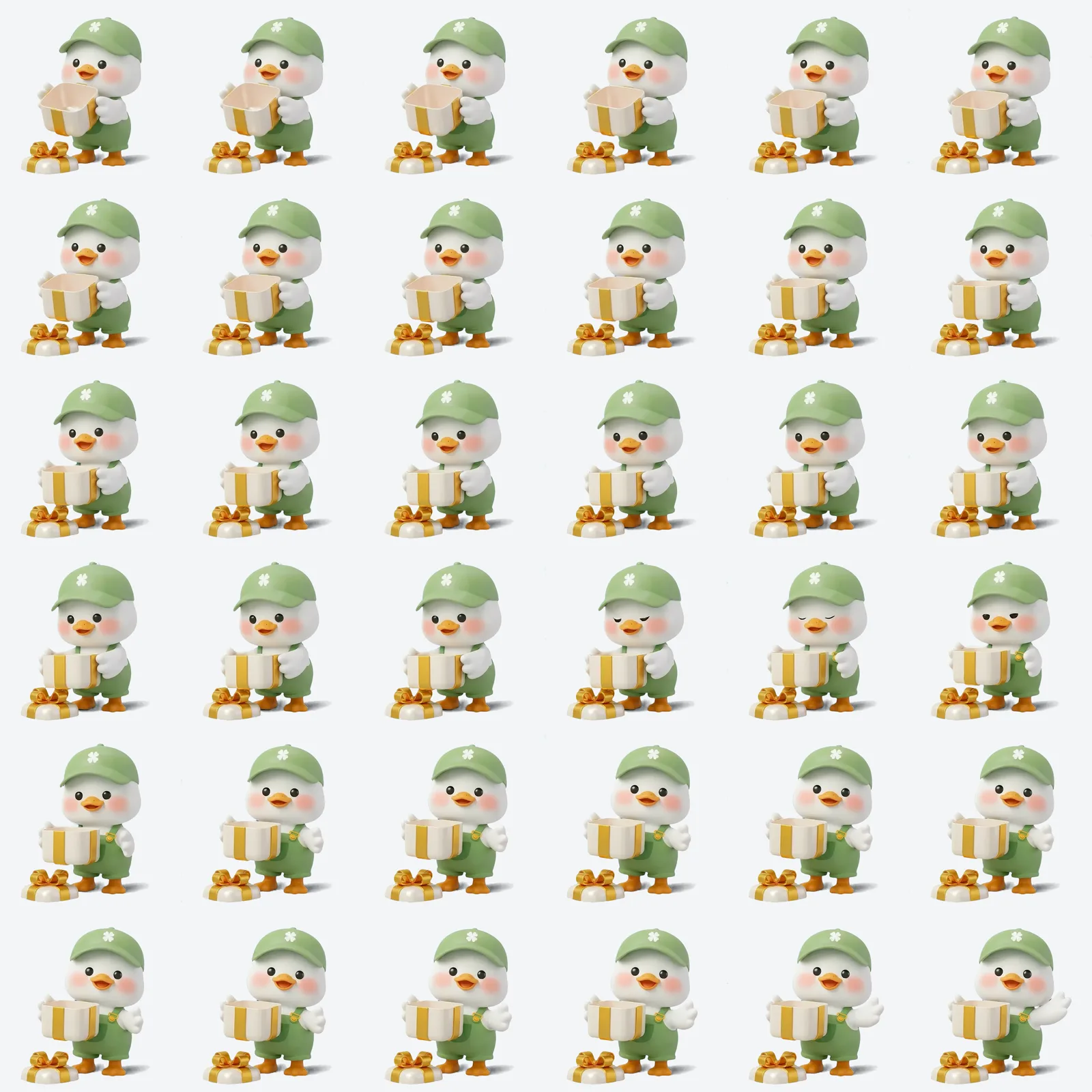
When there were several sheets, the player requested only the current and next sheets in advance, and changed frames in step with requestAnimationFrame. If the main thread got busy for a moment, it did not play the backlog of frames one by one; it jumped to the frame matching the elapsed time, so the whole sequence would not gradually fall behind. Sprite assets were prepared for every state, but if they could not be loaded because of a network problem, we used the still image.
Because of their file size and main-thread cost, we applied sprites only to some WebViews. Targets were identified with a static list of host apps whose inline-playback problems had surfaced in real-device QA. New host apps not on the list took the inline video path by default. When QA or a report showed that the classification was wrong, we updated the list so the fix applied from the next visit. Because this is a list-based approach, an inline-playback problem in a new app can persist until it is identified.
3. Did we really need logic that picked a larger video?
For environments that could play video, we also had to decide whether to send 720×720 or 1080×1080 (hereafter 2x and 3x, following the project's naming). A larger file means users stay on the still image longer before movement begins.
Judging that the resolution difference would be noticeable on iPhone's Retina displays, at first I assumed 3x was better if the device and network could support it. But even a high-end device needs time to download a large file, and an in-app WebView could not be assumed to have the same resources available as a regular browser. So I implemented and validated logic that chose between the two by checking the data-saving preference, display density, network type and bandwidth, low-power mode, and previous playback history. During validation, this logic selected 3x even on the first visit when conditions were good enough.
The simplified decision looked like this:
function selectVideoTier(environment): "2x" | "3x" {
  if (environment.saveData) return "2x"
  if (environment.devicePixelRatio < HIGH_DENSITY_DPR) return "2x"
  if (environment.isSlowNetwork || environment.networkIsUnknown) return "2x"
  if (environment.recent3xFailed) return "2x"
  return "3x"
}
NetworkInformation is not available in Safari (iOS and macOS) or Firefox. Unlike the snippet, the actual logic also looked at information such as what the host app passed in, not just what the browser provided, and it did not lock to 2x when NetworkInformation could not be read. As a result, it tried 3x in iOS WebViews too when the other conditions were met, and fell back to 2x when it judged there was a problem.
After selecting 3x, the logic recorded a 3x preference in browser storage once the first frame was ready, or a 2x preference if an error occurred and a 2x version was available to fall back to. Because mobile devices move around, it did not keep that earlier judgment and invalidated it after 30 minutes. On a return visit within that window, it rechecked the other conditions but gave priority to 3x if a 3x preference was recorded. The same device moves between Wi-Fi and LTE, between the subway and indoors, so I wanted a single result to inform only short revisits. The snippet omits the branches that read low-power mode and the 3x preference record.
We did not switch from 2x to 3x during playback. In a short character video, replacing the source could cause a flicker or restart playback, and could knock the speech bubble and video out of sync.
While I was implementing the selection logic, Joy produced 2x versions based on the existing 3x videos. We then set up a comparison page that could switch instantly between them in the same position, and played them at the product's actual display size on the iPhones and desktops available to us at the time. I checked the selection path and file sizes, and Joy examined alpha edges and movement against light, dark, and checkerboard backgrounds.
The result was not what we expected. On the devices we checked and at the in-product display size, the quality difference between the two resolutions was small, and the 2x files were smaller on every platform. The number of horizontal and vertical pixels a video needs to look sharp on screen is its display size (in CSS pixels) multiplied by devicePixelRatio, so whether the same conclusion holds for other screens depends on both values.

The 3x file was about 1.9 times as large as the 2x file (for one scene, not an average across all assets).
Some 2x videos ran at 24 fps and actually moved more smoothly than the 3x videos at 18 fps. Perceived quality could not be explained by resolution alone. However, these scenes differed in both resolution and fps. We also ran a separate 2x vs. 3x comparison with matched fps: on Retina displays such as iPhone's, the resolution difference was slightly noticeable, but not nearly as large as the difference in file size.
In the end, in July 2026, the team standardized on 2x alone before serving the 3x videos to users. We also closed the path that selected 3x based on environment signals. Optimization included checking whether logic we had already finished was actually needed, and deciding not to use it.
4. Invisible pixels and visible edges
Even after standardizing on 2x, some Android WebM files were unusually large for the same resolution. Analyzing the files showed that fully transparent areas still held RGB values that differed from frame to frame. With an alpha value of 0 they were invisible, but to the encoder they were still data to compress.
We normalized the RGB values of fully transparent pixels to a single solid color (a matte color) across all 13 Android WebM files, and re-encoded them in the same format while keeping the codec, encoder settings, and fps unchanged.
| Scope | Before | After | Reduction |
|---|---|---|---|
| All 13 Android goose videos (WebM) | 20.93MB | 7.94MB | 62.1% |
Transparent pixels that the product never showed were taking up a significant amount of file size and resources. Simplifying them let us cut that unnecessary resource use substantially.
5. What should we automate, and what should we check by eye?
Tests for source selection and missing assets can be automated, but WebView transparency, inline playback, and character edges had to be checked on real devices. I verified in code and tests that assets were selected to match product state and that playback switched to the fallback paths.
| Verification method | What it checked |
|---|---|
| Unit tests | Source selection by screen, record expiry, fallback priority, still-image cover removal |
| File checks | Whether every video, image, and sprite registered in the configuration actually existed |
| Comparison page | 2x and 3x quality and encoding results at the same display size |
| Browser run checks | Muted and inline playback, file formats, switching to the fallback image on error |
| Real-device QA | WebView full-screen transitions, transparency, alpha edges, looping, returning to the app |
In the final setup, environments not on the static list from Section 2 used a 2x video prepared behind the still image, WebViews on the list used sprites, and cases where the sprite could not be loaded used the still image. Android videos used assets with normalized RGB values in transparent areas, and we verified this configuration with automated checks and QA on the target devices.
How this work changed my criteria
In the product, the role the video played mattered more than the video itself, and my criteria changed as follows.
- Show a still image that users can see while the video gets ready.
- Choose the right representation—video, sprite sheet, or still image—based on the cause of failure.
- Recheck whether even the largest asset, or logic we have already built, creates real value.
- Filter candidates with metrics and comparison pages, and make the final call on real devices.
The focus of my question shifted too.
At first, I focused on the video itself.
Can we somehow make the original video play in this environment?
After this work, I came to focus on the user experience.
Can we keep a screen that guides the next action even when the video is late or cannot play?
In the end, what we had to optimize was not a single video file but the whole experience that includes it. We needed to set priorities among visual quality, file size, device resources, and playback-failure risk within the user flow, and design fallbacks as part of the experience from the start.
The problem of waiting for ads to be ready in the same product is covered in our post on ad preloading.
References
Media playback and lifecycle
- WHATWG HTML: the media element resource selection algorithm (Source for the
<source>error behavior in Section 1. Its description of where the error is reported when all sources fail differs from the MDN<video>page.) - MDN:
<video>element - MDN:
HTMLMediaElementevents - MDN:
HTMLMediaElement.play() - MDN: Autoplay guide for media and Web Audio APIs
- web.dev: Fast playback with audio and video preload
- MDN:
requestAnimationFrame() - MDN: Page Visibility API