AI-translated. Read the original in KoreanEmbedded slides, videos and images remain in their original language.
Video Optimization Was Never Just About the Video

Frontend Engineer

In Hourly Golden Egg (aka PlayHub v2.1), the goose was not decoration. It was UI that showed users their current state and what to do next. But in the WebViews of several apps, the video sometimes appeared late or would not play inline. This is the story of how still images, sprite sheets, resolution selection, and encoding work expanded the target of optimization from a video file to the entire user experience.
Introduction
Buzzvil builds services that let people participate in ads and earn rewards such as points inside a range of mobile apps. Hourly Golden Egg is a web-based reward experience designed to make that journey a little more enjoyable.
The experience was meant to evoke not the spectacle of a huge jackpot, but the small moments of luck people encounter in everyday life. Rather than choosing a character based only on our team's taste, we asked users for their first impressions of several concepts and whether each would make them want to participate. As the design evolved, the goose became the central character because it fit naturally with a flow in which completing a mission earns a golden egg.
The goose was not a mascot standing in the corner of the screen. It welcomed new users, changed its behavior as they progressed, and told them when it was time to receive a lottery ticket or reward. The goose's movement was itself UI: it explained the user's current state and next action.
This experience was a collaboration between Joy, the product designer responsible for Hourly Golden Egg's UI and character motion, and me, the frontend engineer who connected those designs to product state and WebView playback. Joy refined the goose character, UI, and prototype through user feedback, then created the 3D videos and still images for each stage of the experience. I connected those assets to mission, ad, and reward states, and implemented the playback logic and fallback paths that kept the same flow working across multiple apps' WebViews. We then evaluated the resolution and encoding candidates, selection logic, and fallback paths together on a comparison page and real devices.

The goose showed both progress and the next action.
We therefore played transparent-background goose videos inline between buttons and guidance copy. The problem was that the same screen ran not only in regular browsers, but also inside the WebViews of several apps. Sometimes the goose's place stayed empty even though it should have been moving. Sometimes a video that belonged inside the page suddenly opened full-screen. Ad participation and reward delivery could still finish successfully, but the user flow had already been disrupted.
At first, I thought better video playback would solve the problem. If the device and network could handle it, we would serve a sharper video. If loading was slow, we would reduce the file size or preload the next video. If a format was incompatible, we would replace it with another. It was a natural starting point: video optimization seemed to mean improving visual quality, reducing file size, and increasing playback success.
That perspective was not wrong, but it was incomplete. Real WebViews kept presenting problems that better video files alone could not solve. Each one forced us to ask again what we were actually optimizing.
This article is less about how we played a particular video and more about how our decision criteria changed as we tried to preserve the user experience when playback was delayed or unavailable. I will cover not only what worked, but also what failed and how those attempts changed the way I make optimization decisions.
1. What should appear before the video does?
Several overlapping steps happen before the first frame of a web video appears. While the browser receives video data, it parses the file structure, prepares the codec, decodes the first frame, and composites that frame onto the screen. Data transfer may dominate on a slow network, while decoding and compositing transparent video can weigh more heavily on a constrained WebView.
Measuring exactly which step was slowest mattered, but there was no reason to leave the screen empty while we were waiting for the first frame. I first rendered a lightweight still-image cover in the same position as the video. When one of loadeddata, canplay, or playing indicated that the video met our reveal condition, I removed the cover and revealed it.
The screen no longer waited for the video to be ready. This did not eliminate network or decoding time. It prevented the user from experiencing that time as an empty space.
We used <video preload="auto"> for the current video, but the playback flow did not assume that the browser had already fetched its data.
Appearing late and being unplayable were different states
We did not treat every invisible video as a failure. A browser evaluates the files registered in <source> elements in sequence. If we locked the UI to a still image as soon as the first file failed, we could prevent the browser from trying the next candidate. We switched to the still image only after the <video> element reported a final playback error.
An autoplay rejection was also different from a file that could not play. We kept the video element in place so playback could be attempted again. When the app returned from the background, we watched focus, pageshow, and visibilitychange and retried playback.
What had initially looked like one symptom—“the video is not visible”—became several implementation states. We needed to know whether the video was still preparing, the browser was evaluating another source, autoplay alone had been rejected, or playback was truly impossible before choosing the right next action.
| Playback state | Response |
|---|---|
The browser is evaluating another <source> | Wait for the next candidate |
| Only autoplay was rejected | Keep the video element and allow another playback attempt |
| The video meets the reveal condition | Remove the still-image cover and reveal the video |
A final MediaError occurs before or after the first frame | Switch to the still image |
2. When inline video was unreliable, we changed the playback method
For this product, we served HEVC video with an alpha channel in a MOV container to iOS or Safari environments, and VP9 video in a WebM container to other environments.
But a file that played correctly in a regular browser could behave differently inside an app's WebView. In some iOS WebViews, the video opened full-screen even with playsInline enabled. Inline playback depended not only on web code, but also on how the host app configured its WebView. An in-app WebView could not be assumed to have the same resource budget or playback behavior as a regular browser.
We still needed to preserve the goose's movement in environments where the host app could not be changed immediately. I compared the root fix with alternatives we could apply in the frontend.
| Option | Advantage | Cost and limitation |
|---|---|---|
| Change the host-app configuration | Fixes the cause of the inline-playback problem | Requires coordination across app owners and release schedules |
| Keep a still image | Simplest and most reliable | Removes the movement that communicated state |
| Animated WebP | Can be displayed as a regular web image | First-loop playback stuttered in some constrained WebViews |
| Sprite sheet | Preserves movement without a video decoder | Increases asset size and main-thread work |
Joy created WebP versions of the videos so that we could preserve motion in the affected environments, and I connected them to the WebView fallback path. We expected this to avoid <video>'s inline-playback constraint without adding much implementation complexity. In internal device QA, however, the first loop dropped frames in some constrained iOS WebViews, and the devices also felt warmer. We did not instrument temperature, so we did not generalize the observation to every WebView; we looked for another approach only in environments where the issue had been confirmed.
After comparing the options, we chose sprite sheets for the WebViews where the issue had been confirmed. A sprite sheet is made by extracting the video frames and arranging several of them in one image. I implemented a player that changed the visible CSS position to recreate the motion. It looked like video, but used neither <video> nor a video decoder. Instead of trying to defeat the inline-video constraint directly, we turned the problem into image rendering. The goal was not to reduce device temperature, but to preserve inline motion without <video>.
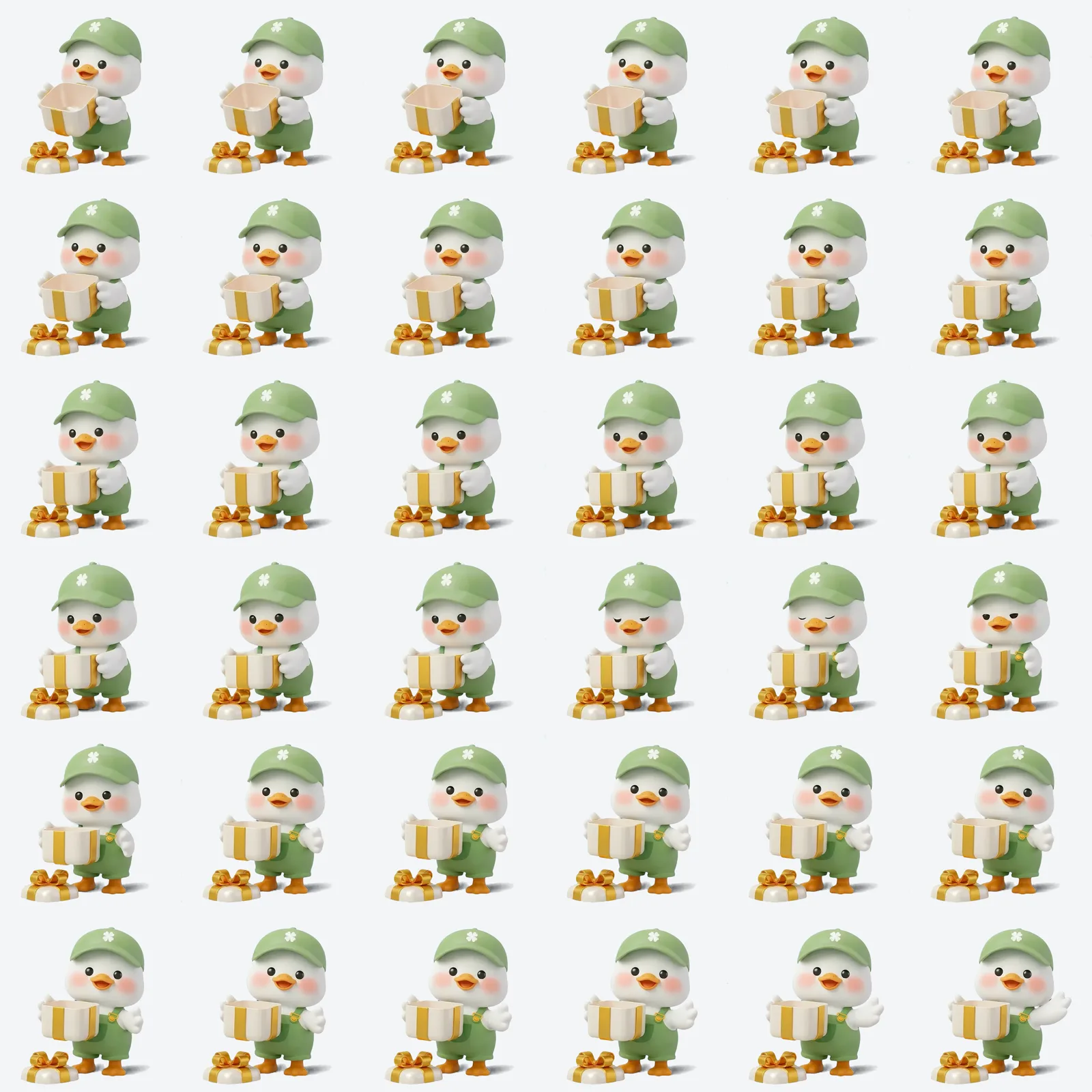
Multiple frames sit in one image, and the player changes the visible CSS position to create movement.
The playback logic included one more detail. It requested only the current and next sheets, and advanced frames with requestAnimationFrame, which follows the browser's rendering schedule. If the main thread became busy, the player did not rush through every delayed frame. It skipped ahead to the frame matching the elapsed time, preventing the entire sequence from drifting later and later.
Sprite sheets were not universally better than video. The files were larger, and the main thread had to update the frame directly. We therefore used them only in WebViews where inline-video problems were confirmed. Stages without a prepared sprite asset kept the still image. Rather than forcing a single elaborate format everywhere, we chose how much movement each environment could reliably preserve.
3. Did we really need logic that chose 3x?
Once we had a fallback for environments that could not play the video, the next question was how large a file to send to environments that could. Even if the video could play, a larger file could keep the experience on the still-image cover for longer before movement began. Before standardizing on 720×720 in July 2026, we implemented and evaluated selection logic with both 720×720 and 1080×1080 candidates. Internally, we called them 2x and 3x.
Our initial assumption appeared most directly in this selection logic: if the device and network could support it, 3x seemed preferable. But even a high-end device still had to receive the larger file, and an in-app WebView could not be assumed to have the same available resources as a regular browser. We therefore considered data-saving preferences, display density, network type, and bandwidth when choosing between 2x and 3x. When all signals were favorable, the first visit could select 3x.
The simplified decision looked like this:
function selectVideoTier(environment): "2x" | "3x" {
  if (environment.saveData) return "2x"
  if (environment.devicePixelRatio < HIGH_DENSITY_DPR) return "2x"
  if (environment.isSlowNetwork || environment.networkIsUnknown) return "2x"
  if (environment.recent3xFailed) return "2x"
  return "3x"
}
NetworkInformation is not available in every browser. If we could not read the network state, we did not optimistically classify the environment as good; we selected 2x.
After selecting 3x, we treated first-frame readiness signals such as loadeddata, canplay, and playing, along with error events, as hints for the next choice. A ready 3x asset recorded a 3x preference. An error with a lower-tier asset available recorded a 2x preference. Successful 2x playback was not used as a promotion signal to 3x. We stored the hint in browser storage for short revisits and expired it after 30 minutes. The same device can move between Wi-Fi and LTE, a subway and an indoor room, so one observation should not permanently classify the device.
We also did not switch from 2x to 3x during playback. Replacing the source of a short character animation could cause a flash, restart the video, or desynchronize the video from its speech bubble. The goal was not to keep searching for the highest resolution, but to safely choose a better candidate on a later visit.
While I implemented the selection logic, Joy created separate 720×720 versions from the existing 1080×1080 videos. Once both candidates were ready, we used a comparison page that switched instantly between them in the same position and rendered them at the product's actual display size on the iPhones and desktop machines available at the time. I checked the selection path and file sizes, while Joy inspected alpha edges and movement over light, dark, and checkerboard backgrounds.

At the same display size, the resolution difference was small, while this scene's 3x file was about 1.9 times as large as its 2x version. This is one scene, not an average across all assets.
The result was not what we expected. On the devices and in-product display size we checked, the difference between the two resolutions was small, while every 720×720 asset was smaller on every platform. Some 720×720 videos ran at 24 fps and actually looked smoother than their 1080×1080 counterparts at 18 fps. Perceived quality could not be explained by resolution alone.
The team ultimately standardized on 720×720 before serving 1080×1080 in production. We also stopped using the path that selected 3x from environment signals. Completing complex logic was not the finish line. Verifying whether that logic was necessary—and choosing not to use it in the product—was part of the optimization.
4. Invisible pixels were still consuming bytes
Standardizing on 720×720 did not end the delivery-cost problem. Some Android WebM files at the same resolution were unusually large. Analysis showed that fully transparent areas still contained RGB values that changed from frame to frame. Their alpha values were zero, so users could not see them, but they were still data for the encoder to compress.
Joy normalized the RGB values of fully transparent pixels to one matte color and re-encoded the files in the same format. The result was:
| Scope | Before | After | Reduction |
|---|---|---|---|
| 13 Android goose videos | 20.93MB | 7.94MB | 62.1% |
These numbers are the combined size of the assets at the time. They do not mean that every user's transfer size or loading time improved by the same percentage. What we could directly compare was the file size before and after removing invisible color variation.
Joy also reduced the size of the iOS videos by adjusting their bitrates, then produced more aggressively compressed candidates that Joy and I inspected together on real devices. Their file sizes and preliminary checks looked acceptable, but the character's edges looked worse. We did not ship those additional candidates and kept the existing files.
Cleaning transparent RGB values worked for Android; the additional iOS compression candidates did not remain in the product. Together, those results clarified a rule: metrics help us filter candidates, but the final decision must be made on the actual screen.
5. What should we automate, and what requires visual inspection?
The experiments also taught us that not every problem can be verified in the same way. Source selection and missing assets can be checked automatically. WebView transparency, inline playback, and the visual quality of character edges require real devices. I verified in code and tests that the right assets were selected for each product state and that the alternative paths took over correctly. Joy created candidates with different resolutions and encodings, then checked their transparency, edges, and motion on the actual screen. We brought those results together on the same comparison page and real devices before the team decided which paths should remain in the product.
| Verification method | What it checked |
|---|---|
| Unit tests | Source selection by screen, record expiry, fallback priority, still-image cover removal |
| File checks | Whether every configured video, image, and sprite actually existed |
| Comparison page | 2x and 3x quality and encoding at the same display size |
| Browser smoke test | Muted inline playback, file formats, and the fallback image after errors |
| Real-device QA | WebView full-screen transitions, transparency, alpha edges, looping, and app return |
When the numbers looked good but the device screen looked bad, we reverted. When adaptive logic produced little perceptible value, we removed it. We used automation for checks we could repeat quickly and real devices for details that required visual inspection.
I turned the criteria we agreed on into a playback structure that could be repeated across product states and WebViews.
The final structure was straightforward. In environments where inline video worked reliably, a 720×720 video loaded behind a still image. WebViews with a confirmed inline-video problem used a prepared sprite sheet. Stages without a sprite asset kept the still image. Android videos used assets whose transparent RGB values had been normalized. We verified this configuration with automated checks and QA on the target devices.
How this work changed my criteria
The initial criteria were clear: provide larger videos to better devices, and find ways to play the original video more reliably.
But in the product, the role of the video mattered more than the video itself. When playback was delayed, the still image communicated state first. When a WebView could not play video reliably, the sprite sheet preserved movement. When a larger video produced no visible benefit, we stopped using the 3x selection path in production. When compression metrics looked good but the real screen looked worse, we reverted the result.
This process changed the criteria I use to judge video optimization.
- Design both the time it takes a video to prepare and the screen users see during that time.
- Do not serve the largest asset simply because the device can play it.
- Choose video, a sprite sheet, or a still image according to the cause of failure.
- Even after finishing a complex implementation, verify that the complexity creates real value.
Working on the Hourly Golden Egg goose changed the focus of my question.
At first, I focused on the video itself.
Can we somehow make the original video play in this environment?
After working through these constraints, I focused on the user experience.
Can we keep guidance for the next action on screen even when the video is late or cannot play?
Good optimization did not mean forcing the sharpest possible video to play in every situation. A high-resolution video is not a good product outcome if it appears late or suddenly opens full-screen in a WebView. Conversely, a still image or sprite sheet can be the better choice if it keeps guidance about the current state and next action on screen.
The real target of optimization was not one video file, but the entire experience around it. We needed to prioritize visual quality, file size, device resources, and playback risk within the user flow—and design fallback paths as part of that experience from the beginning.
References
Media playback and lifecycle
- MDN:
<video>element - MDN:
HTMLMediaElementevents - MDN:
HTMLMediaElement.play() - web.dev: Fast playback with audio and video preload
- MDN:
requestAnimationFrame() - MDN: Page Visibility API